Free N8N Financial Document Assistant Chatbot
An AI-powered chatbot that automatically monitors, processes, and indexes financial documents, allowing you to query them through a conversational interface.
12/13/2025
N8N Financial Document Assistant Chatbot - Installation Guide
How It Works
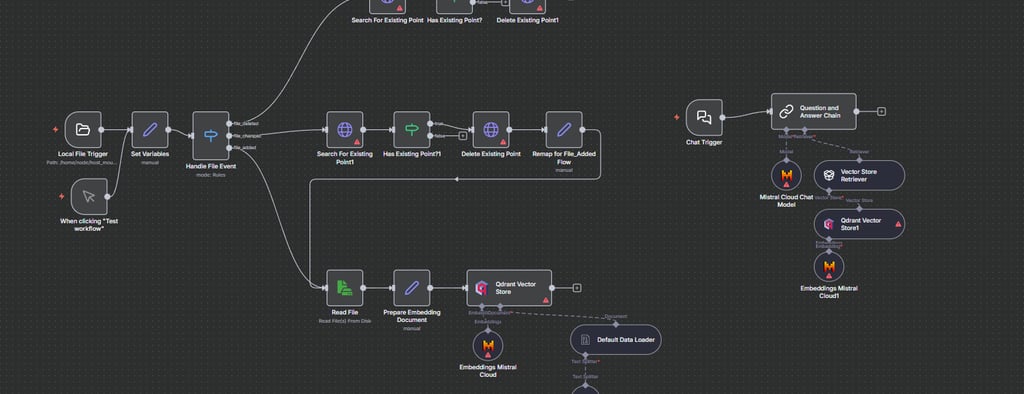
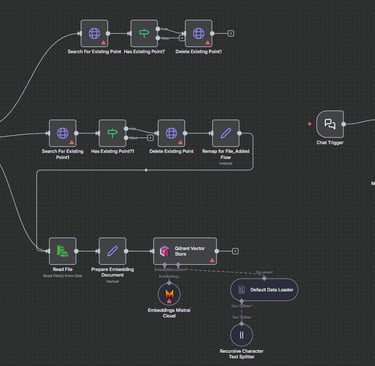
The workflow monitors a directory for financial documents, automatically processes them into vector embeddings, and stores them in Qdrant. You can then ask questions about your documents through the chat interface, powered by Mistral AI.
Download the workflow from GitHub:
https://github.com/Zimbocu/N8N-Financial-Document-Assistant-Chatbot
Prerequisites
- N8N instance running
- Qdrant vector database
- Mistral Cloud API key
Installation Steps
Step 1: Import Workflow
- Open N8N and navigate to Workflows
- Click "Add Workflow" and select "Import from File"
- Upload the downloaded JSON file
Step 2: Add Mistral Cloud Credentials
- Go to Settings and then Credentials
- Add new "Mistral Cloud API" credential
- Enter your Mistral API key and save
Step 3: Add Qdrant Credentials
- Add new "Qdrant API" credential
- Enter your Qdrant URL and API key if required
- Save the credentials
Step 4: Create Qdrant Collection
- Create a new collection named "local_file_search" in Qdrant
- Set vector size to 1024 with Cosine distance
Step 5: Configure File Paths
- Update the "Set Variables" node with your directory paths
- Update the "Local File Trigger" node with your monitoring directory
Step 6: Create Directories
- Create the directories specified in the workflow
- Ensure N8N has read/write access to these folders
Step 7: Activate Workflow
- Toggle the "Active" switch to enable the workflow
- The system will now monitor for file changes
Step 8: Test the System
- Drop a test document in the monitoring folder
- Verify processing in N8N execution logs
- Check that vectors were created in Qdrant
Step 9: Access Chat Interface
- Click on the "Chat Trigger" node
- Copy the webhook URL
- Open the URL in your browser to start chatting
Done!